
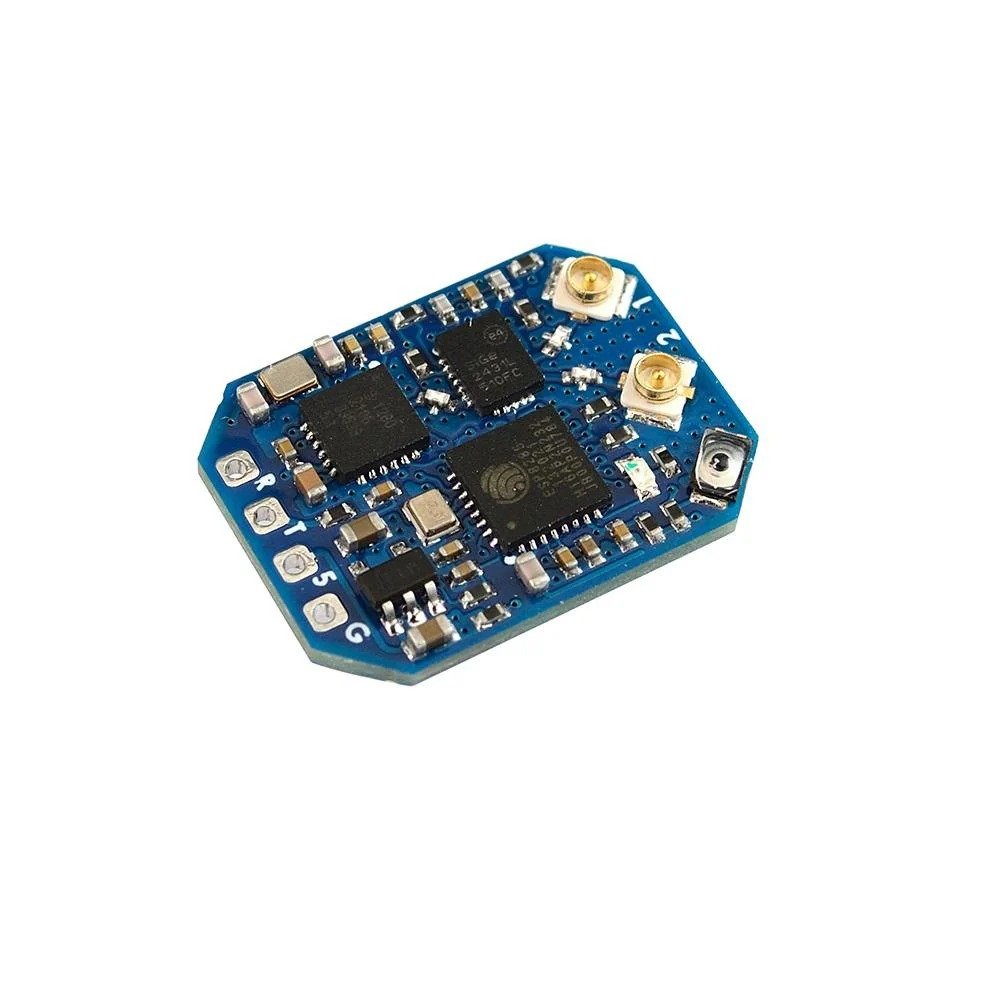
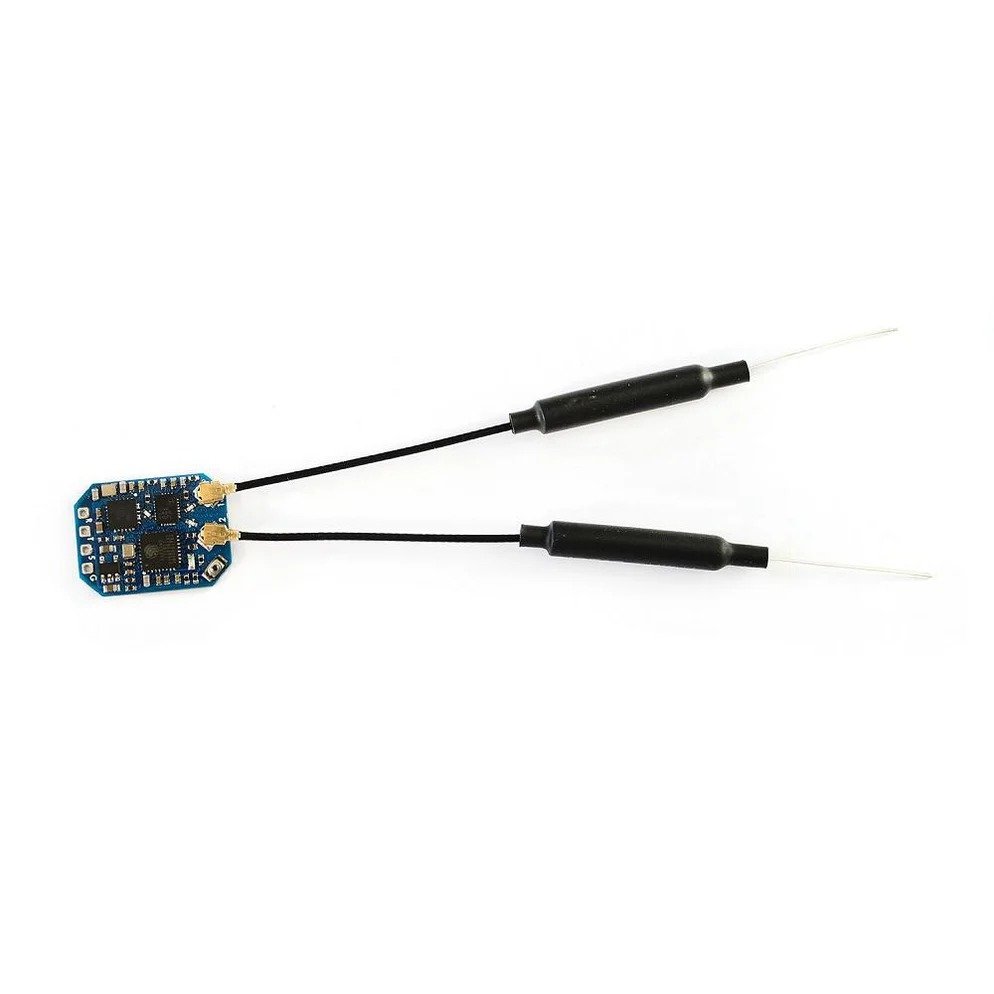
Description
Unparalleled Wireless Performance
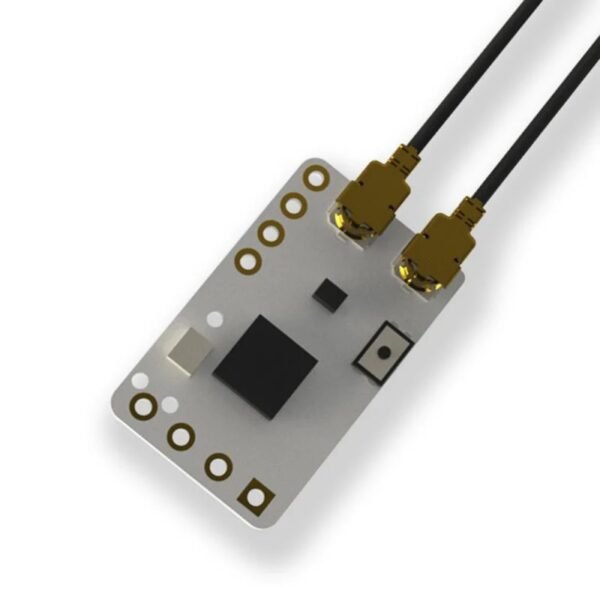
The Matek ELRS R24-D 2.4GHz Receiver is designed to elevate the performance standards of your wireless systems. Packaged within a compact and sleek form factor, this receiver uses ExpressLRS technology, ensuring unmatched reliability, fast response times, and minimal latency. Whether you’re working on professional setups or hobby applications, you can count on the R24-D to deliver a stable and efficient connection every time.
Optimized for Versatility
One of the standout features of the Matek ELRS R24-D is its ultra-lightweight design. Perfect for drones, RC airplanes, and other remote-controlled devices, this receiver is crafted with versatility in mind. The receiver operates at 2.4GHz, providing robust signal transmission while maintaining energy efficiency. With advanced configurations accessible, the R24-D accommodates diverse setups and personalization needs to ensure it fits seamlessly into your projects.
Advanced Features for Seamless Operation
The Matek ELRS R24-D 2.4GHz Receiver comes equipped with cutting-edge features that make it a go-to choice for tech enthusiasts and professionals alike. It supports wide frequency ranges, low power consumption, and high-quality signal transmission, allowing you to push boundaries without compromise. Its rugged build ensures durability even in challenging environments. Pair this with rapid binding and reliable connectivity, and you have a receiver that delivers exceptional performance under any condition.
Why Choose the Matek ELRS R24-D Receiver?
Engineered with the modern user in mind, the Matek ELRS R24-D 2.4GHz Receiver is the perfect solution for anyone looking to enhance their remote-controlled system performance. Its blend of advanced technology and efficient design ensures that you achieve the highest levels of performance and reliability. Whether you’re an enthusiast, hobbyist, or professional, the R24-D is tailored to meet your standards.
Specifications:
- ESP8285, SX1280/1281IMLTRT
- PA/LNA: SE2431L
- Antenna connector: IPEX MHF 1
- RF Frequency: 2.4GHz (2400~2480MHz)
- Telemetry power: 22.5dbm~23dbm
- SE2431L RX_gain: 12.5dB
- Diversity (antenna-switching), default ANT2
- Receiver protocol: CRSF
- Input voltage: 4~9V DC @ 5V pad
- Power dissipation: 40~45mA(before binding), 70~75mA(binding), 90~95mA(wifi mode)
- PCB size: 21mm x 15mm
- Weight: 3g w/ 2x antennas
- Packing: 1x ELRS-R24-D, 2x IPEX MHF1 Antennas
Firmwares:
- ExpressLRS MATEK_2400_RX
- Firmware update via UART or WIFI
- ELRS-R24-D: enable “USE_DIVERSITY” (checked) when flashing in ExpressLRS configurator
- ELRS_V1.1.0_NoPhrase_ELRS-R24-D.bin
- Tool: ESP_NodeMCU-PyFlasher.exe
Wiring With FC:
- Receiver RX — FC UART_TX for Telemetry
- Receiver TX — FC UART_RX for Control
- Receiver 5V — FC 5V or 4v5
- Receiver G — FC GND
- Receiver protocol: Serial-based receiver – CRSF
Traditional Binding:
- Power on and off your receiver three times
- Make sure the LED is doing a quick double blink, which indicates the receiver is in bind mode
- Use the [BIND] button on the Transmitter Lua script, which sends out a binding pulse
- Receiver will switch to slow blink once it has received binding pulse.
- Power off and power on receiver again. If the receiver LED switch to solid on from slow blink, it’s bound with your transmitter.
Note*
- Receivers have ExpressLRS fw V1.1.0 preloaded without BINDING_PHRASE
- Important: If the RX firmware has a bind phrase, the RX will never enter binding mode using the above procedure. It must be flashed without a binding phrase to do traditional binding.
Flashing with ESP_NodeMCU-PyFlasher
- Connect receiver to USB-TTL module(RX-TX, TX-RX, 5V-5V, G-GND)
- Connect USB to PC while pressing and holding the boot button in.
- open ESP_NodeMCU-PyFlasher
- select Serial port of USB-TTL module, load firmware, select “Dual Output(DOUT)” and “Yes.wipes all data“
- click “Flash NodeMCU“
- after flashing, Power off and power on your receiver, receiver will enter binding mode(quick double blink).
Flashing with ELRS configurator
- MATEK_2400_RX target is not available in ELRS configurator 1.0.8 and fw release 1.1.0 for now
Package Includes:
- 1 x ELRS-R24-D RC Receiver
- 2 x IPEX MHF1 Antennas

Reviews
There are no reviews yet.